

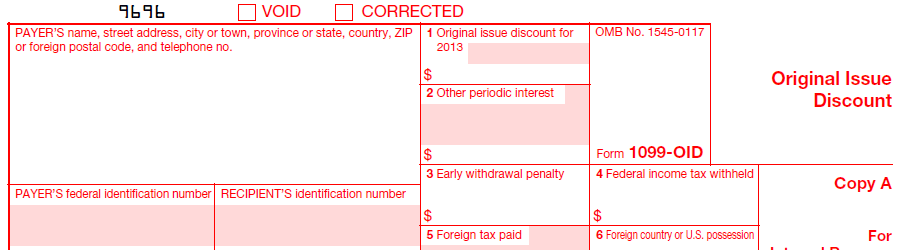
Original Issue Discount
Use the software today! Order online and the shopping cart will e-mail you instructions on how to activate the software.

Let our trained staff import your data from excel, print and mail, and electronically file on your behalf. We can help eliminate the stress of filing information returns by providing complete, secure outsourcing solutions for IRS Forms 1042-S, 1095, 1097, 1098, 1099, 3921, 3922, 5498, 8027, 8966, 8955-SSA and W-2G. Competitive pricing. Please call our sales office at (480) 706-6474 and they can provide an estimate of the cost. Stay compliant, reduce administrative costs and know that the job will get done right.
IRS Form 1099-OID – Form 1099-OID is an annual report sent to investors and the Internal Revenue Service that lists interest income from taxable original-issue discount securities. The form, which originated during the 1984 tax year, reports the amount of implied and real income derived from original-issue discount securities such as Treasury bills, zero-coupon bonds, and commercial paper. Income shown on a 1099-OID is to be included on Part 1 in Schedule D of an investor’s federal income tax return.
Banks and Financial Institutions
We can only sell the 1099-OID software to Banks or Financial Institutions with:
1. The name of the Bank and/or financial institution
2. A valid FDIC number and/or ABA routing number of that Bank and/or Financial Institution.
Furthermore, after ordering, we will call or e-mail an employee from the Bank that purchased the software to provide the passcode to register the software.
We can not sell the 1099-OID software to individuals.
Due Dates…
Furnish Copy B to the recipient by January 31. File Copy A of this form with the IRS by February 28. If you file electronically, the due date is March 31.
Related…
1099-OID software, form 1099-OID, Original Issue Discount, irs form 1099-OID