

1099-A Software (Tax Year 2023)
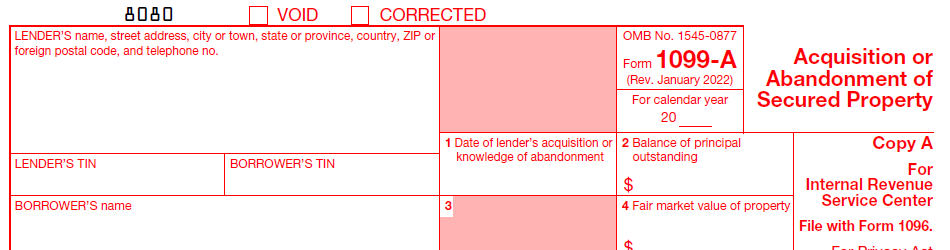
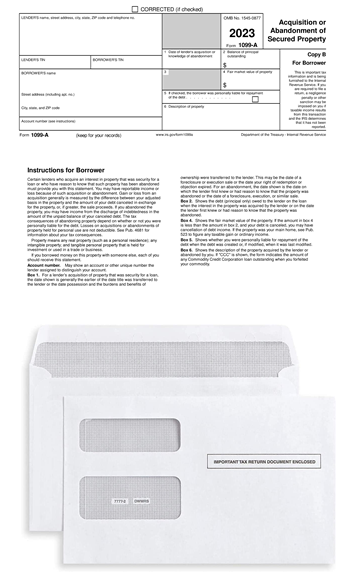
Acquisition or Abandonment of Secured Property
Use the software today! Order online and the shopping cart will e-mail you instructions on how to activate the software.
Outsourcing Solutions
We can only sell the 1099-A software to Banks or Financial Institutions with:
1. The name of the Bank and/or financial institution
2. A valid FDIC number and/or ABA routing number of that Bank and/or Financial Institution.
Furthermore, after ordering, we will call or e-mail an employee from
the Bank that purchased the software to provide the passcode to register the software.
We can not sell the 1099-A software to individuals.
Let our trained staff import your data from excel, print and mail, and electronically
file on your behalf. We can help eliminate the stress of filing information returns
by providing complete, secure
outsourcing solutions for IRS Forms 1042-S, 1095, 1097, 1098, 1099, 3921, 3922, 5498, 8027,
8966, 8955-SSA and W-2G. Competitive pricing. Please call our sales office at (480) 706-6474
and they can provide an estimate of the cost. Stay compliant, reduce administrative costs and know
that the job will get done right.
IRS Form 1099-A - File Form 1099-A, Acquisition or Abandonment of Secured Property for
each borrower if you lend money in connection with your
trade or business and, in full or partial satisfaction of
the debt, you acquire an interest in property that is security
for the debt, or you have reason to know that the property
has been abandoned. You need not be in the business of lending
money to be subject to this reporting requirement.
New Paper/Electronic Filing Threshold...
IRS mandates electronic filing of 10 or more information returns. The new
threshold is effective for information returns beginning tax year 2023. FIRE TCC holders who submitted their TCC application
prior to September 26, 2021, must complete and submit a new application and verify their identity through ID.me, an IRS
provider of sign-in services.
Import...
Simply import the data from Excel. Sample excel worksheets can be downloaded from this site.
File Directly to the IRS...
1099-A software will generate a file formatted according to Publication 1220, Specifications for Electronic Filing
of Forms 1097, 1098, 1099, 3921, 3922, 5498, and W-2G. The system is updated each year to reflect format changes
that are made by the IRS. 1099FIRE is the only company to offer OneTouch E-Filing. One click of a button will
automatically upload data directly to the IRS FIRE system using your login credentials. A receipt of your file will be
displayed on screen.
1099-A software is valid for the tax year 2023 season and prior tax years. Renewals can be purchased at a reduced cost.
Replacements, Corrections, Prior Years...
Need to file an original or correction for a current or prior year? Not a problem. 1099-A
software let's you print and electronically file originals, replacements, or corrections for current or prior years.
Due Dates...
Furnish Copy B of Form 1099-A to the recipient by January 31. Electronically file to the IRS by March 31.
Recent Blog Articles...
All About Form 1099-A and Form 1099-C
What is IRS Form 1099-A?
A Is for Abandonment
Related...
1099-A software, form 1099-A, Acquisition or Abandonment of Secured Property, irs form 1099-A, IRS Form 1099-A software,
Secured property reporting software, 1099-A e-filing solutions, Tax software for property acquisition or abandonment,
1099-A reporting tools, Automated 1099-A software, 1099-A preparation software, E-file 1099-A forms, IRS Form 1099-A electronic filing,
1099-A tax form software, 1099-A filing software, E-filing 1099-A forms